Smishing and Vishing: Text and Phone Scams Aimed at Your Staff
BizShield Pro Editorial
Updated November 1, 2026
Quick Answer
Smishing is phishing by text message and vishing is phishing by phone call. Both pressure people into clicking a link, sharing a code or paying money. Defend against them by verifying requests through a separate known channel, never sharing one-time codes, treating urgency as a warning sign and giving staff a simple way to report suspicious contacts.
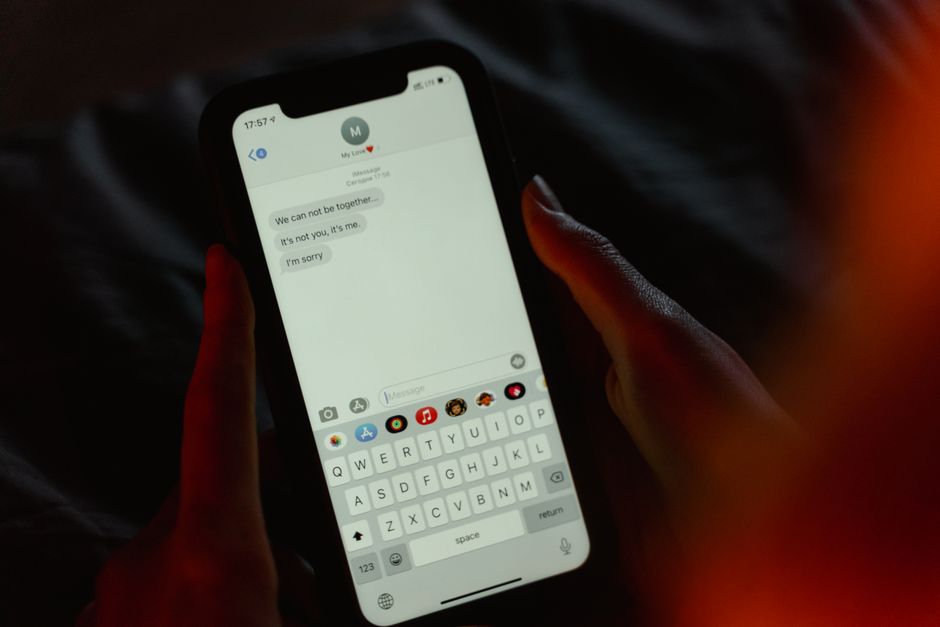
How text-message and voice-call scams work, what they target and how to train staff to resist them.
Why attackers like phones
People treat phone calls and text messages as more personal and more urgent than email. A text arrives on a device you carry everywhere, and a caller can adjust their story based on your reaction. Security filters that catch many email attacks do not see these messages, and many employees use personal phones for work, which puts them outside company controls.
That makes smishing and vishing popular for first contact. Once a criminal has persuaded someone to click a link, read out a code or install a remote access app, they can often move on to email or finance systems.
Common smishing scenarios
Smishing messages are usually short and designed for a quick reaction. Typical themes are easy to recognise once you have seen them.
- A delivery company says a parcel is held and asks you to pay a small fee or confirm your address
- A bank or payment service reports suspicious activity and gives a link to verify
- A message supposedly from the boss asks for an urgent favour and a reply
- A tax, fine or toll notice with a threatening deadline
- A multi-factor authentication code arrives that you did not request, followed by a call or message asking you to share it
Common vishing scenarios
Voice scams rely on confidence and pressure. A caller might claim to be from IT support, your bank's fraud team, a supplier or a senior executive. They may know your name and company, taken from public sources, which makes the call feel genuine.
One frequent pattern is the fake fraud alert: the caller says there is suspicious activity and asks you to move money to a safe account or install software to fix a problem. Another is the helpdesk impersonator who calls an employee, or an employee impersonator who calls the helpdesk to reset a password and enrol a new authentication device.
Advances in voice cloning mean that a voice you recognise may not be the person it appears to be. Treat unexpected, urgent requests for money or access with the same caution whatever the voice sounds like.
Habits that stop most attacks
Training works best when it is about a few clear habits, not a long list of tricks.
- Pause when a message is urgent, secret or emotionally charged
- Never share one-time codes or approve unexpected sign-in prompts
- Do not click links in unexpected texts; open the official app or type the address yourself
- Hang up and call back using a number you already trust
- Agree a code word or call-back procedure for payment and password reset requests
- Report every attempt, even if nothing happened
Technical and process controls
Use authentication methods that resist social engineering, such as passkeys or app-based approvals with number matching, instead of text codes where possible. Require identity verification steps for helpdesk password resets, and train the helpdesk to say no politely.
Provide a company number or channel for reporting suspicious contacts, and publish the real phone numbers and channels your business uses for customers, so people can check. Review mobile policies for personal phones that access work email, and use device management to separate work data.
Training that sticks
Short, regular practice beats long lectures. Share real examples of messages that reached your own staff, show the red flags and ask people what they would do. A five-minute discussion at a team meeting each month keeps the topic alive.
Run occasional simulations if you have the tools, but handle results kindly. The point is to build confidence and reporting habits, not to catch people out. Celebrate those who report a suspicious call quickly, because a culture where it is normal to say this looks odd is the strongest protection you can build.
Finally, write down who can authorise payments and password resets and by what route. When staff know the legitimate process, anything outside it stands out immediately.
Protecting personal and work phones
Keep phones updated, use a screen lock and install apps only from official stores. Turn on built-in spam and scam call filtering, and report junk messages to your carrier. Separate work and personal data using managed profiles where your tools allow it, so that a compromised personal app does not reach company email.
If someone fell for it
Speed matters. If a person shared a code, clicked a link or installed an app, ask them to tell you immediately, with no blame. Change the affected passwords, revoke sessions, remove unknown apps and contact the bank if money moved. Check email for forwarding rules and review recent logins.
Then use the story, with the person's permission and without names, to refresh training. Real examples from your own industry are more memorable than generic warnings.
Frequently Asked Questions
What is the difference between smishing and vishing?
Smishing uses SMS or messaging apps. Vishing uses voice calls, sometimes with spoofed caller ID or even AI-generated voices. The goal is the same: to get you to act without thinking.
Why do scammers ask for verification codes?
A code sent to your phone may be the second factor for a real login the scammer is trying. If you read it out, you hand over access.
Can caller ID be trusted?
No. Caller ID can be faked, so a call that appears to come from your bank or a colleague is not proof.
What should staff do if they get a suspicious call?
Hang up, then contact the organisation using a number from an official source, and report the attempt internally.
Do work phones need special protection?
Mobile device management, updates and call or message filtering help, but awareness and verification habits are the main defence.
Advertisement
Sponsored: today's featured offer →Advertisement